Loading article
Back to Health Guides
How to Prepare for a Telehealth Consultation
What to have ready, how to describe the problem, and when online care is not enough.
12 min read
·Updated 7 July 2026
·Doctor Reviewed
AHPRA Verified
In this article
- 1Start with the question you need answered
- 2Get the technical and privacy setup right
- 3Prepare the clinical information
- 4Describe symptoms clearly
- 5Use photos and measurements carefully
Medical information only. This article is for general information and does not constitute medical advice. Treatment decisions are made by an AHPRA-registered doctor after reviewing your circumstances.
Review
InstantMed Clinical Team
Clinical governance review for guide content
Updated
7 July 2026
General information only, not personal medical advice.
Jump to section
1Start with the question you need answered2Get the technical and privacy setup right3Prepare the clinical information4Describe symptoms clearly5Use photos and measurements carefully6Prepare questions before the consultation7If someone else is with you8Know when preparation is not enough9After the consultation10Common preparation mistakes11FAQ12Sources Used In This Guide
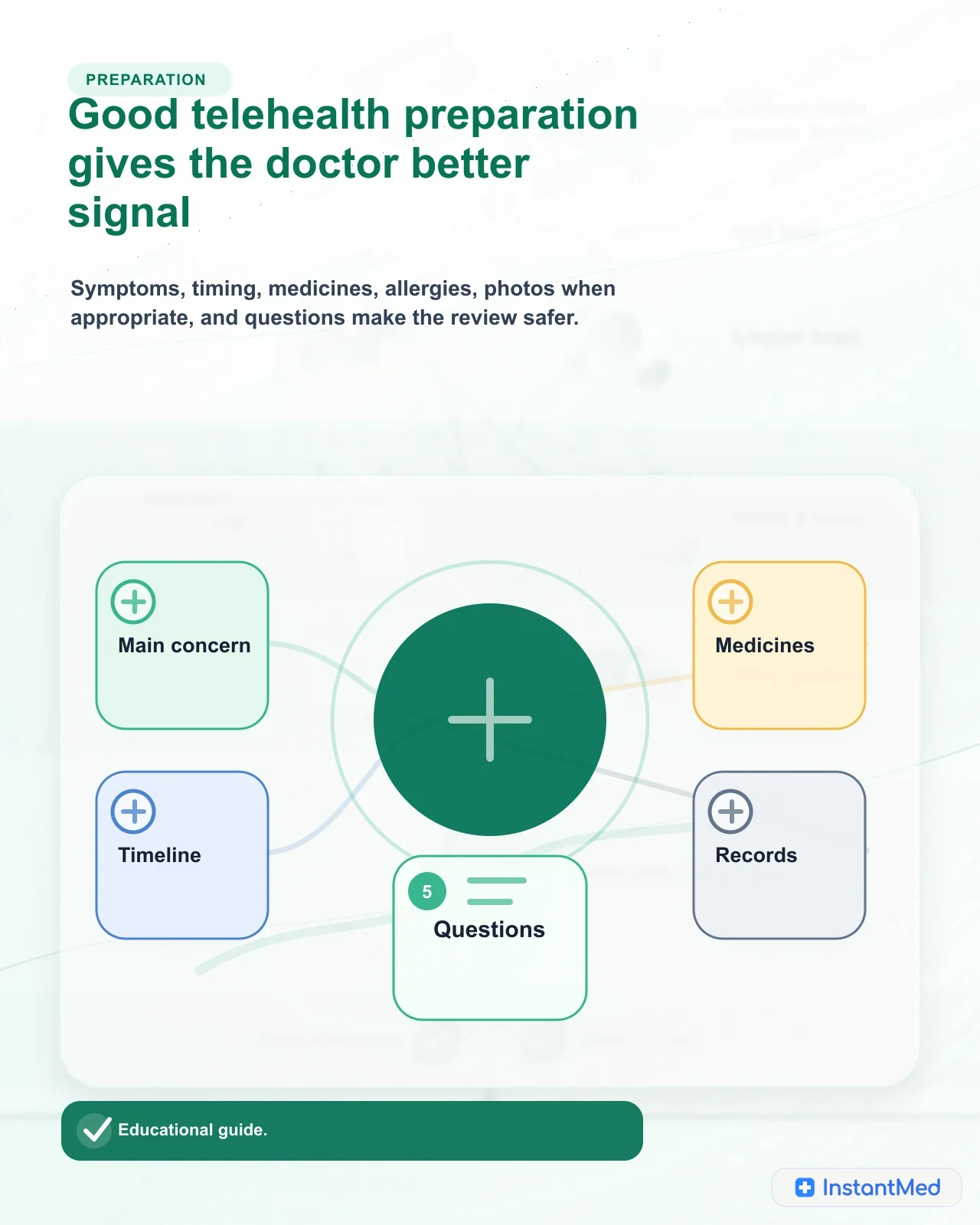
The best telehealth preparation is not complicated. Before the consultation, make the clinical signal clear: what is happening, when it started, what has changed, what medicines and allergies matter, what records or photos are relevant, what you need decided, and when you would seek local or urgent care.
That preparation helps because telehealth has less physical information than an in-person appointment. The doctor may not be able to examine you, measure vital signs, listen to your chest, feel an abdomen, or observe subtle changes unless the consultation is video and the issue is visible. A clear history, accurate medicine list, private setting, and backup plan make remote care safer.
Start with the question you need answered
Many telehealth consultations become harder because the patient starts with scattered details rather than the question they need answered. A good first sentence is simple:
"I have had [main problem] for [time period], it is affecting [daily activity], and I need to know [what decision is needed]."
That sentence does not replace the full history, but it gives the doctor a frame. The decision might be whether symptoms need urgent care, whether self-care is enough, whether a medicine review is due, whether a certificate or document can be considered, whether tests are needed, or whether the issue should move to an in-person clinician.
| Preparation item | What to write down | Why it helps |
|---|---|---|
| Main concern | The one problem you most need assessed | Prevents the consultation from drifting |
| Timeline | Start date, progression, sudden or gradual change | Helps separate stable, improving, and worsening problems |
| Severity | 0 to 10 rating, worst point, current point | Gives the doctor a rough intensity signal |
| Function | Work, study, sleep, eating, mobility, caring duties | Shows practical impact, not only symptoms |
| Risk context | Pregnancy, immune suppression, major conditions, recent surgery, recent travel, injury, exposure, or worsening symptoms | Helps decide whether remote care is enough |
| Question | What you need to understand before the consultation ends | Improves shared decision-making |
Get the technical and privacy setup right
The technical setup is part of clinical safety. A consultation that drops out, has poor audio, or happens in a public place can lead to missed information.
Before the consultation:
- charge the phone, tablet, or laptop
- check microphone and camera permissions if video is used
- use a stable internet connection or know whether phone is available as a backup
- sit somewhere quiet, private, and well lit
- close other apps that may interrupt audio or video
- keep the service's contact path available if the connection fails
- avoid using a work device or shared email if the consultation is sensitive
- know who can hear you or see the screen
Privacy matters even for simple problems. Health information is sensitive information under Australian privacy law. If you are discussing sexual health, mental health, family violence, workplace conflict, medicines, pregnancy, identity documents, or anything you would not want overheard, choose the setting carefully. If a private setting is not possible, say so. The doctor may adapt the consultation or advise a safer route.
Prepare the clinical information
The most useful preparation is usually clinical, not technical. You do not need a perfect medical dossier. You need the details that change the risk assessment.
| Information to prepare | Include | Avoid |
|---|---|---|
| Current medicines | Name, strength, dose, timing, recent changes, missed doses, over-the-counter medicines, supplements | Guessing from memory when a label or list is available |
| Allergies and reactions | Medicine or substance, what happened, how severe it was | Writing "allergic" without the reaction if you know it |
| Medical history | Diagnosed conditions, surgeries, pregnancy or breastfeeding status where relevant, immune risk, recent hospital care | Long unrelated histories that hide the key issue |
| Recent results | Pathology, imaging, specialist letters, discharge summaries, home readings | Uploading entire folders when one relevant result is enough |
| Usual care team | GP name, clinic, specialist, pharmacist, carer contact if authorised | Assuming the telehealth doctor already has access |
| Practical constraints | Location, pharmacy access, mobility, transport, work or caring commitments | Waiting until the end to mention barriers to follow-up |
If you take several medicines, write the list before the consultation. Include prescribed medicines, over-the-counter products, inhalers, creams, eye drops, injections, supplements, and medicines taken only sometimes. If you use electronic prescriptions, check that you can access relevant tokens or your Active Script List if it applies to you.
Describe symptoms clearly
Telehealth depends heavily on history. A structured symptom description makes it easier for the doctor to identify what can be managed remotely and what needs examination.
Use this framework:
| Signal | What to say |
|---|---|
| What | The symptom type: pain, rash, cough, fever, nausea, dizziness, bleeding, swelling, mood change, urinary symptom, medicine side effect |
| Where | The exact location, side, spread, or body area |
| When | Start date and time, sudden or gradual onset, constant or intermittent |
| Change | Improving, stable, worsening, recurrent, or new pattern |
| Severity | Current severity and worst severity |
| Triggers | Activity, position, eating, medicines, exertion, sleep, stress, injury, contact, or exposure |
| Associated symptoms | Fever, shortness of breath, chest pain, fainting, confusion, severe pain, dehydration, neurological symptoms, bleeding, or other relevant changes |
| Function | Work, school, caring, sleep, mobility, eating, driving, or safety-sensitive duties |
Do not edit out details because they feel inconvenient. A symptom that started after a new medicine, a pregnancy possibility, an allergy history, a recent procedure, or a worsening red flag may be the detail that changes the plan.
Use photos and measurements carefully
Photos, home readings, and uploaded documents can be useful, but only when they answer a clinical question.
Photos may help for visible issues such as a skin change, swelling, wound, eye redness, medicine packaging, or document review. Use bright natural light where possible, include a clear close-up, and add a wider image showing location when relevant. Do not include faces, identity documents, bystanders, or background details unless they are needed and requested through a secure channel.
Setup
A quiet place, good connection, accessible records, and urgent-care backup make remote care work better.
Measurements can help when they are reliable. Examples include temperature, blood pressure, pulse, oxygen saturation, weight for children when a clinician asks for it, or glucose readings for someone already monitoring. Mention the device and timing. Do not invent readings or use someone else's measurements.
Photos and measurements do not turn every issue into a telehealth issue. They can support the assessment, but they may also show that examination, urgent care, or local review is needed.
Prepare questions before the consultation
Healthdirect's Question Builder exists for a reason: patients often remember the most important question after the consultation ends. Write down the questions you want answered before you start.
Useful questions include:
- What is the most likely explanation, and what else are you considering?
- What would make this urgent?
- What should I do if symptoms get worse or do not improve?
- Do I need tests, examination, local review, or follow-up with my usual GP?
- If a medicine is recommended, what should I know about interactions, side effects, and when to stop or seek help?
- If a certificate, referral, prescription, or test request is provided, how will I receive it and what should I check?
- What should be documented or shared with my usual GP?
The Australian Commission on Safety and Quality in Health Care promotes asking questions before tests, treatments, and procedures so patients understand benefits, risks, alternatives, and what happens if they do nothing. The same principle applies to telehealth.
If someone else is with you
A support person can help, especially for children, older people, disability support, memory difficulties, anxiety, hearing impairment, language needs, or complex medication lists. Tell the doctor who is present and what role they have.
The patient should still be involved as much as possible. If another person is speaking for the patient, make consent clear. If the patient is a child, parent or guardian involvement is expected, but the doctor may still need to observe or speak with the child depending on age and issue.
If an interpreter is needed, ask early. Family members may help with practical support, but a professional interpreter is safer for important medical details when available. The Medical Board's telehealth guidance recognises that interpreters can be included in telephone and video consultations.
Know when preparation is not enough
Preparation helps a doctor assess suitability. It does not make telehealth suitable for every problem.
Decision guide
Choose the right care route
May fit telehealth
- The problem is non-urgent, you can describe it clearly, and the doctor can assess it without hands-on examination.
- You have medicines, allergies, relevant history, records, and questions ready.
- You have a private setting and a backup plan if technology fails.
Needs in-person care
- The doctor needs to examine you, check vital signs, listen to your chest, assess an abdomen, examine an injury, perform a procedure, or order urgent tests.
- Your symptoms are complex, worsening, recurrent, or tied to a condition that needs continuity with your usual clinician.
- Privacy, language, disability, technology, or support needs mean remote care will not be safe enough today.
Urgent care
- Chest pain, severe breathing difficulty, stroke symptoms, collapse, severe allergic reaction, severe bleeding, severe dehydration, confusion, seizure, severe sudden pain, or rapidly worsening symptoms.
- There is immediate risk of self-harm, violence, coercion, or unsafe home circumstances.
- You are unsure whether symptoms are an emergency and cannot safely wait for routine advice.
After the consultation
Before the consultation ends, confirm the plan in plain language. You should understand what was decided, what was not decided, what to watch for, and what happens next.
| After-consultation item | What to confirm |
|---|---|
| Diagnosis or working explanation | Whether the doctor is confident, uncertain, or giving provisional advice |
| Safety-net advice | Warning signs, timeframes, and what to do if symptoms change |
| Prescriptions or documents | How they will arrive, what to check, and whether anything needs pharmacy or follow-up action |
| Tests or referrals | Where to go, how results return, and who follows them up |
| Usual GP continuity | Whether a summary should be shared and what the GP needs to know |
| Missing information | How to send a correction or important detail you forgot |
After the consult
The safest telehealth consultations finish with the plan, warning signs, documents, tests, and follow-up understood.
If you remember something important afterwards, contact the service promptly. Examples include a medicine you forgot, an allergy, pregnancy possibility, a new red flag, a wrong email or phone number, or a result that changes the context.
Common preparation mistakes
The most common mistakes are practical.
Do not start the consultation in a public place and then disclose sensitive details. Do not guess medicine names or doses when a label is nearby. Do not hide red flags because you are worried the doctor will redirect you. Do not upload large bundles of unrelated documents. Do not assume a child, older parent, or support person can be assessed safely without clear consent and enough direct information.
Also avoid treating the consultation as a transaction. A safe telehealth review is not only about getting a document, script, referral, or answer. It is about giving the doctor enough information to decide what can be done remotely and what should happen next.
FAQ
What should I have ready before a telehealth consultation?
Have your main concern, symptom timeline, current medicines, allergies, relevant medical history, recent test results or letters, photos or readings only if relevant, your usual GP details, and the questions you want answered. Also check your phone, internet, privacy, and backup contact path.
How should I describe symptoms in telehealth?
Use a structured history: what the symptom is, where it is, when it started, how it has changed, how severe it is, what makes it better or worse, what else is happening, and how it affects daily function. Mention red flags and recent changes honestly.
Should I send photos before a telehealth appointment?
Only send photos if the service asks for them or the problem is visual and a photo could help. Use good lighting, avoid unnecessary background detail, do not include identity documents unless requested through a secure channel, and remember that photos do not replace examination when one is needed.
Can someone else help me during telehealth?
Yes, a support person, carer, family member, friend, or interpreter may be appropriate. Tell the doctor who is present and why. The patient should still be involved as much as possible, and consent and privacy should be clear.
What should I do after a telehealth consultation?
Confirm the plan, warning signs, prescriptions or documents, tests, follow-up timing, and whether a summary should go to your usual GP. If you remember important missing information afterwards, contact the service promptly.
Sources Used In This Guide
- Medical Board of Australia: Telehealth consultations with patients
- Healthdirect: Question Builder
- Healthdirect: Questions to ask your doctor
- Australian Commission on Safety and Quality in Health Care: 5 questions to ask your doctor or other healthcare provider
- Australian Commission on Safety and Quality in Health Care: Understanding your healthcare rights
- OAIC: Health information
- Australian Digital Health Agency: Electronic prescriptions
- Australian Digital Health Agency: Pharmacist shared medicines list
Frequently Asked Questions
What should I have ready before a telehealth consultation?
Have your main concern, symptom timeline, current medicines, allergies, relevant medical history, recent test results or letters, photos or readings only if relevant, your usual GP details, and the questions you want answered. Also check your phone, internet, privacy, and backup contact path.
How should I describe symptoms in telehealth?
Use a structured history: what the symptom is, where it is, when it started, how it has changed, how severe it is, what makes it better or worse, what else is happening, and how it affects daily function. Mention red flags and recent changes honestly.
Should I send photos before a telehealth appointment?
Only send photos if the service asks for them or the problem is visual and a photo could help. Use good lighting, avoid unnecessary background detail, do not include identity documents unless requested through a secure channel, and remember that photos do not replace examination when one is needed.
Can someone else help me during telehealth?
Yes, a support person, carer, family member, friend, or interpreter may be appropriate. Tell the doctor who is present and why. The patient should still be involved as much as possible, and consent and privacy should be clear.
What should I do after a telehealth consultation?
Confirm the plan, warning signs, prescriptions or documents, tests, follow-up timing, and whether a summary should go to your usual GP. If you remember important missing information afterwards, contact the service promptly.
InstantMed Medical Team
Related Articles
11 min read
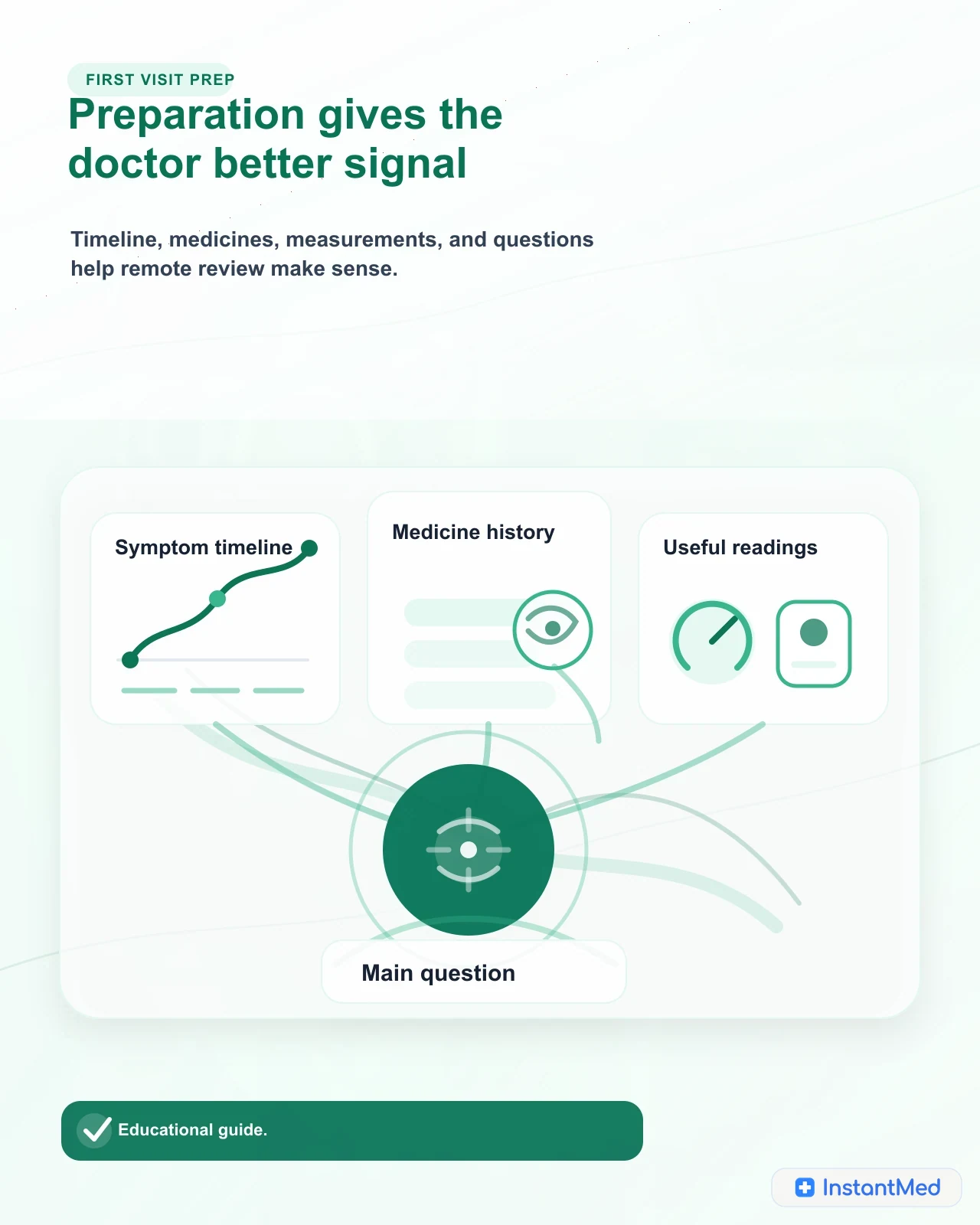
Your First Telehealth Consultation: What to Expect
New to telehealth? Learn what happens before, during, and after a remote consultation, what to prepare, how Medicare may apply, and when in-person or urgent care is safer.
InstantMed Medical Team
11 min read
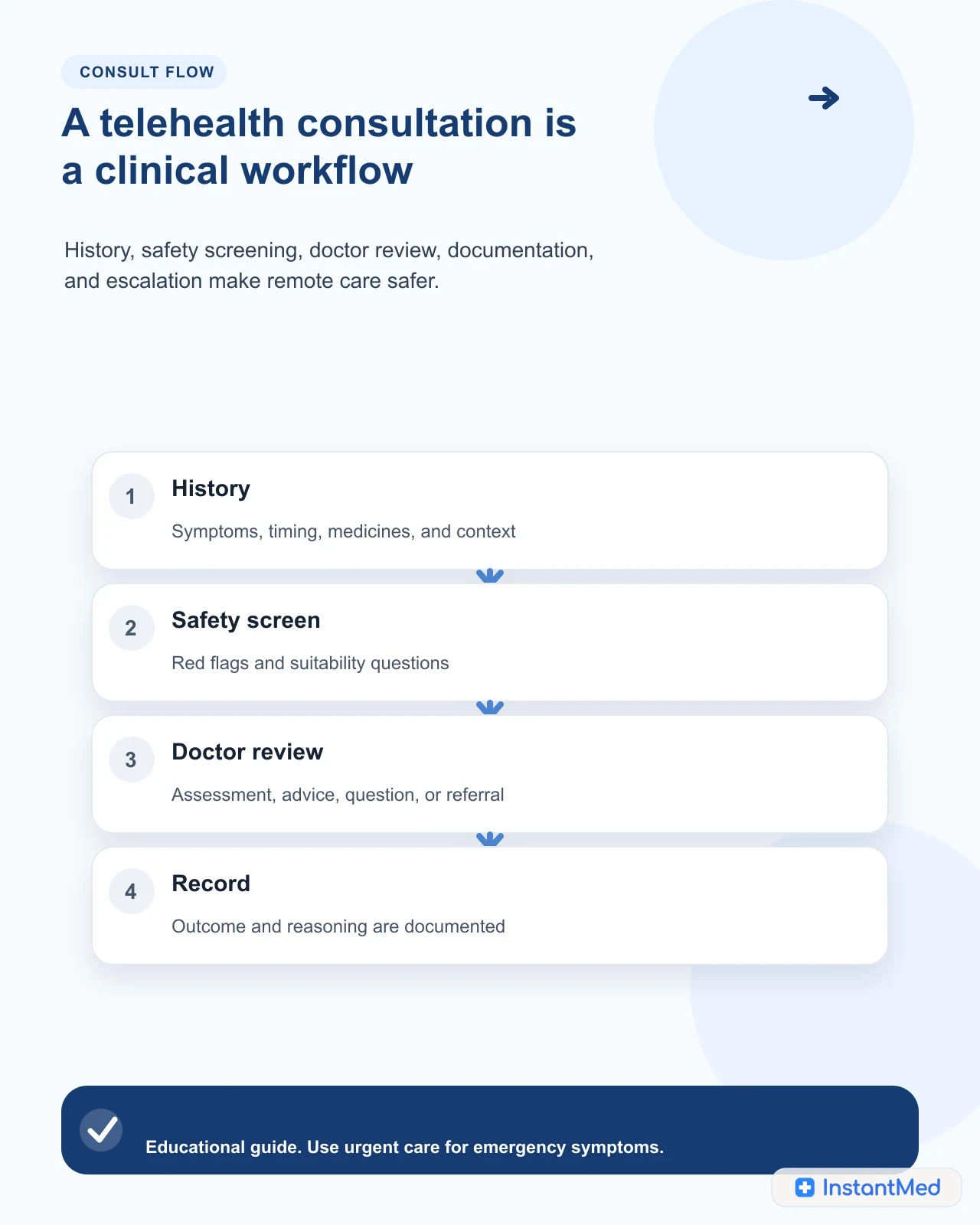
Telehealth Consultation in Australia: What to Expect
A telehealth consultation is a real clinical review delivered by phone, video, secure message, or structured online form. Learn what happens, what to prepare, and when remote care is not enough.
InstantMed Medical Team
11 min read
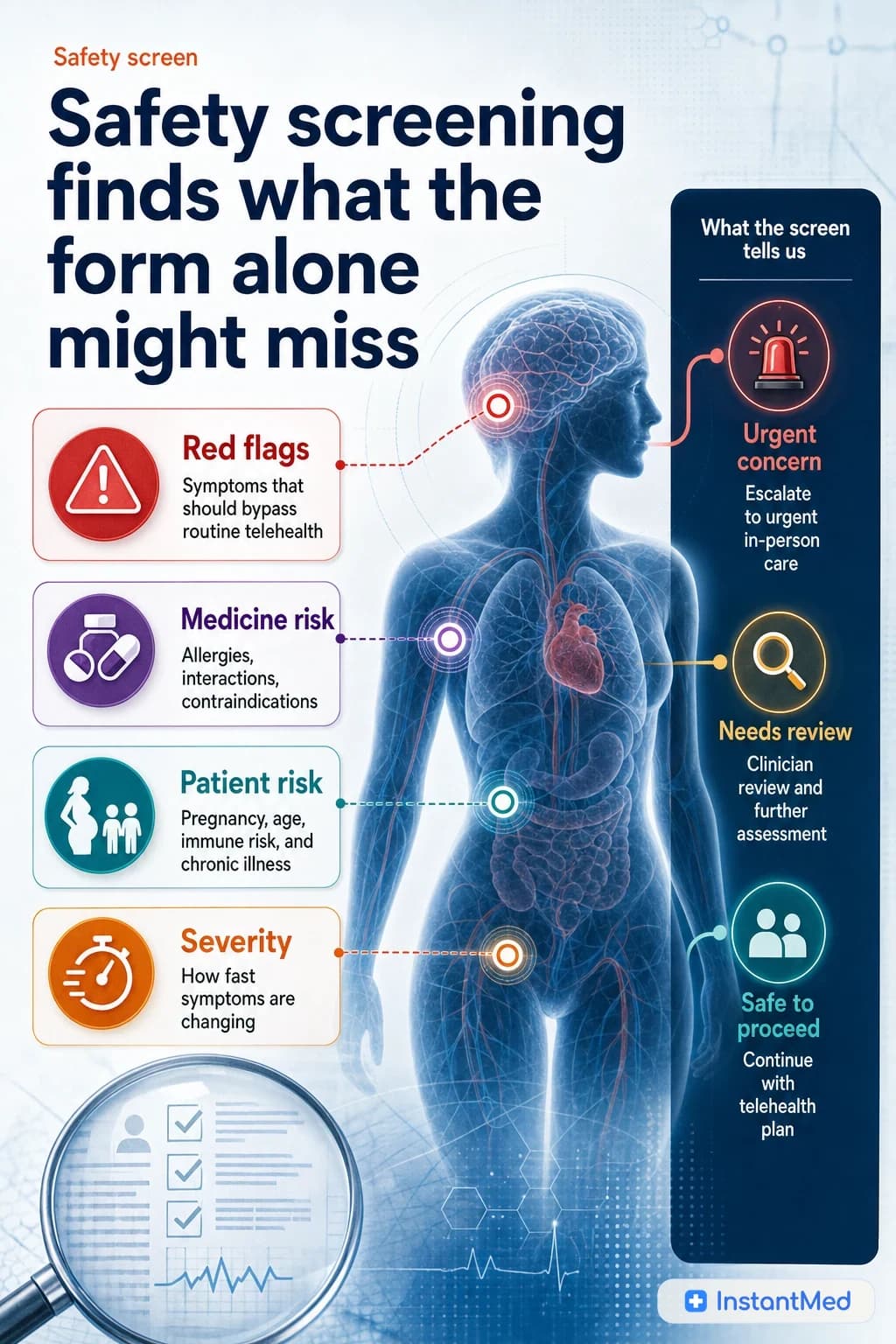
How Telehealth Safety Screening Works
Telehealth safety screening is the clinical filter that decides whether remote care is suitable. It checks symptoms, red flags, medical history, medicines, identity, privacy, and escalation needs before an online outcome is given.
InstantMed Medical Team